

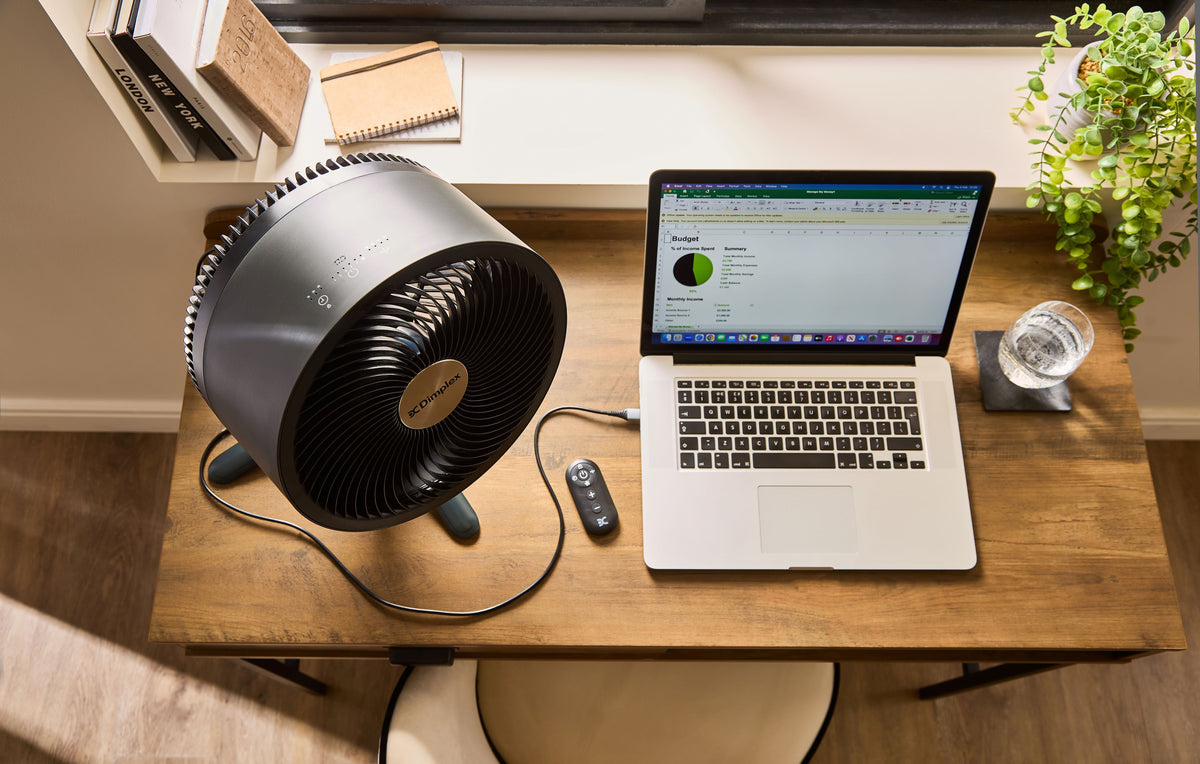
Working from home has raised the bar for home comfort. When your bedroom or spare room becomes your office, a noisy fan isn't just annoying — it disrupts calls, breaks concentration, and makes it harder to wind down at the end of the day. Here's what to look for in a quiet desk fan, and the features that are worth paying for.
Why noise level matters more in a home office
Office buildings have background noise that masks the hum of fans and equipment. At home, things are often much quieter — which means a noisy fan stands out more. If you take video calls, a fan running at full speed can be picked up by your microphone and annoy colleagues. And if you're trying to concentrate on complex work, repetitive mechanical noise is one of the most common productivity killers.
For home office use, look for fans with a noise rating below 45 decibels (dB) at their lowest setting. Quality manufacturers publish noise ratings in their specifications — if a brand doesn't, that's often a sign the noise level isn't something they want to advertise.
What to look for in a quiet desk fan
Brushless DC motor
Fans with brushless DC motors are significantly quieter than those with traditional AC motors. They also use less energy and tend to last longer. If a fan is marketed as ultra-quiet, check that it uses a DC motor — it makes a genuine difference.
Multiple speed settings
The more speed settings a fan has, the better. A fan with only three settings often forces you to choose between 'too slow' and 'slightly too loud'. Fans with 10 or more speed increments let you find exactly the right balance between airflow and noise.
Sleep mode or night mode
If you sometimes work late or use your desk fan in the bedroom, a sleep mode is worth having. These modes gradually reduce fan speed over several hours, keeping you comfortable without running the fan at full tilt all night.
Size and oscillation
Desk fans don't need to be large to be effective. A fan with a 20–30cm head and a 90-degree oscillation range will circulate air effectively across a typical desk or workstation. Avoid oversized fans for desk use — they take up too much space and tend to run louder.
Timer
A programmable timer means you can set the fan to turn off after you've fallen asleep or left your desk, saving energy and reducing unnecessary noise.
USB vs plug-in desk fans
USB-powered desk fans are convenient and draw minimal power, making them ideal for use alongside a laptop. However, they're typically less powerful than plug-in models and may not provide enough airflow in a warm room. If you have a dedicated workspace with a plug socket nearby, a plug-in desk fan with a DC motor will give you better performance.
Tips for reducing fan noise in your home office
Place the fan on a firm surface: A fan on a soft or uneven surface vibrates more and creates extra noise.
Keep the fan clean: Dust on the blades is one of the most common causes of increased fan noise. Clean it monthly during summer use.
Position it correctly: A fan pulling air from an open window or doorway will run more efficiently — and quieter — than one recirculating warm, stale air.
Run it at lower speeds: The lower the speed, the quieter the fan. Good positioning means you don't need to run it flat out.
Find your home office fan at Dimplex
Dimplex desk fans are designed for quiet, efficient performance — ideal for focused work and video calls. Browse the range at shopdimplex.com and find a fan that fits your workspace.
Shop desk fans at shopdimplex.com

Leave a comment
This site is protected by hCaptcha and the hCaptcha Privacy Policy and Terms of Service apply.